
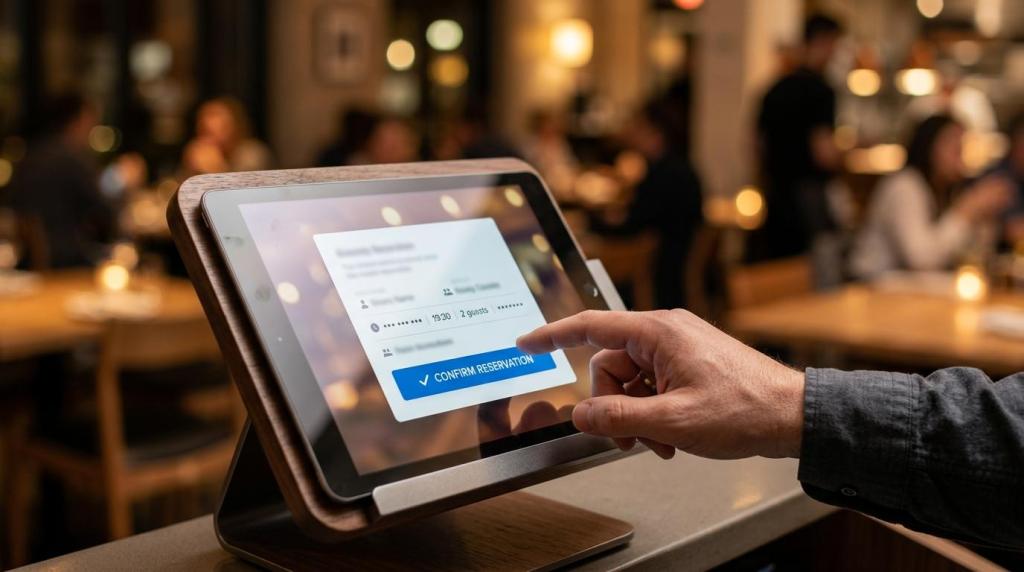
Restaurant booking software matters most when it removes friction for guests and gives operators tighter control over tables, pacing, and no-shows. The best systems do more than accept reservations, they connect booking with reminders, guest preferences, waitlist logic, and in some cases pre-ordering.
TL;DR: Summary
- The best restaurant booking software combines easy online reservations with no-show controls, table management, and guest data, because convenience and reservation efficiency drive both conversion and service quality.
- Cornell research found online reservation users viewed digital booking as more convenient and more informative than phone reservations, which makes booking flow and on-page information core selection criteria.
- DoorDash’s 2026 survey found 64% of consumers prefer one app for delivery, pickup, and reservations, so restaurants should favor booking software that connects reservations with the broader guest journey.
- NIQ reported that 14% of guests admitted to no-shows in pubs, bars, and restaurants, which makes automated reminders, cancellation links, deposits, and card holds important safeguards.
- Reservation handling affects capacity: research by Thompson and Kwortnik found pooling reservations could reduce table turn times by 15 minutes more than 15% of the time under some conditions.
- If your concept serves food that benefits from advance prep, restaurant booking software with food pre-ordering can reduce wait time and improve pacing, especially for busy evenings and special menus.
Choosing the right system is not just a software decision. It is an operations decision that affects labor, guest satisfaction, direct revenue, and how well your front-of-house and kitchen work together during peak service.
Why does restaurant booking software matter so much for restaurants today?
Yes, restaurant booking software matters because Cornell University and DoorDash point to the same pattern: guests want convenience, information, and fewer steps. A reservation tool is now part of the guest experience, not just a host stand utility.
A strong booking flow helps guests answer basic questions before they call. Is there availability at 7:30? Can they request patio seating? Can they note an allergy or a birthday? Cornell’s study of 696 restaurant customers found that online reservation users saw the process as more convenient and more informative than telephone booking, which is a direct signal that digital access shapes conversion.
That matters even more now because reservation tools no longer sit alone. Ordering, pickup, delivery, pre-ordering, and table reservations often happen in one digital path, and guests notice when that path is smooth.
“Ordering Website lets customers order food in advance when they book a table online.”
A common mistake is treating reservations as a back-office schedule rather than a front-end sales channel. The National Restaurant Association has reported that ease of purchasing is top of mind for consumers, so the reservation experience should feel simple, fast, and clear on mobile.
How does restaurant booking software compare with phone reservations?
Online booking is usually better for speed and consistency, while phone reservations still help with edge cases. Cornell University’s findings make the trade-off clear: digital reservations win on convenience and information, but humans still matter for complex requests.
Phone reservations can work well for large parties, private dining, or guests who need extra accommodation. Still, phone-only systems create avoidable friction. Calls get missed during rush periods, hours may be unclear, and staff may capture details differently from shift to shift.
Restaurant booking software standardizes the process. Guests see live availability, confirm party size, add notes, and receive confirmation without waiting on hold. Staff then work from structured data instead of handwritten notes or voicemails. If your concept takes a high volume of covers, that consistency usually outweighs the familiarity of reservation calls.
One common misconception is that phone reservations feel more personal by default. They only do if someone answers quickly, captures the request correctly, and follows up.
What are the 11 must-have features in restaurant booking software?
The essential features are real-time booking, no-show controls, table logic, and integrations that connect reservations with service. Platforms differ on design, pricing, and setup, but these 11 functions separate a basic calendar from serious restaurant booking software.
Before comparing vendors, define what “must-have” means for your service style. A tasting-menu restaurant may prioritize deposits and pacing. A busy casual venue may care more about waitlists, mobile booking, and turnover visibility.
- Real-time availability: Guests should see live slots instead of sending requests into a queue.
- Mobile-first booking flow: Most reservation traffic now starts on phones, so forms must be short and fast.
- Website and social integration: Booking should work on your own site and channels like Facebook without forcing guests elsewhere.
- Automated confirmations and reminders: Email or SMS reminders reduce forgetfulness and help staff plan covers.
- Cancellation and waitlist tools: Easy cancellation links let canceled tables flow back into inventory faster.
- Food pre-ordering support: Useful for special menus and peak periods; Ordering Website is one example of a platform that combines table reservations with advance food ordering.
- Table management and pooling logic: The software should support floor plans, turn assumptions, and flexible table assignment.
- Guest profiles and preference memory: Seating choices, dietary restrictions, and visit history help deliver more repeatable hospitality.
- Deposits or card holds: Important for high-demand slots, events, and concepts hit hard by no-shows.
- Integration with ordering or POS workflows: Reservation data is more valuable when it connects to service and payment operations.
- Reporting and pace analytics: You need visibility into cover counts, booking sources, cancellation rates, and peak-time pressure.
If a platform misses several of these, it may still book tables, but it will struggle to improve operations.
How should you evaluate restaurant booking software in 3 practical steps?
Start with operations, then test the guest flow, then check commercial fit. Restaurants often buy restaurant booking software based on feature lists alone, but day-to-day fit is what determines value.
Use a simple three-step screen before any demo:
- Step 1: Map your service model: Note party sizes, peak windows, average table turn, walk-in mix, and whether you need pre-orders, deposits, or delivery integration.
- Step 2: Test the guest journey: Book from a phone, change a reservation, add a note, and cancel. If the path feels slow, guests will drop off.
- Step 3: Review economics and integrations: Check setup time, per-cover fees, direct-booking support, website integration, and whether existing hardware can stay in place.
A useful pro tip here is to price the hidden cost of friction. If staff spend hours answering basic reservation calls, or if empty tables come from weak reminder flows, a “cheaper” tool may cost more in practice.
How do no-show prevention tools in restaurant booking software actually work?
Effective no-show prevention is a layered system, not a single feature. NIQ’s survey found that 14% of guests admitted to not honoring reservations or notifying venues, so restaurants need reminders, cancellation paths, and stronger controls for risky bookings.
Step one is confirmation. The guest should receive immediate confirmation with date, time, party size, and any policy notes. Step two is reminder timing, usually 24 hours before the booking and again on the day of service if the concept needs it. Step three is friction management: make cancellation or rescheduling easy so guests do not simply disappear.
If your restaurant sees chronic no-shows on Friday nights, special menus, or large parties, then card holds or deposits become reasonable. If your venue is mostly neighborhood lunch trade, a clear reminder flow may be enough. The right setting depends on demand pressure and average check.
“Ordering Website supports unlimited table reservations and food pre-orders directly on a smartphone or tablet.”
One common mistake is using harsh policies where light-touch reminders would do the job. Another is doing the opposite, leaving premium inventory unprotected during peak service.
Should you choose all-in-one restaurant booking software or a standalone reservation tool?
An all-in-one platform usually wins when guests also order pickup or delivery from the same brand. DoorDash’s 2026 survey found 64% of consumers prefer one app for delivery, pickup, and reservations, which makes unified systems more attractive than isolated tools.
Standalone reservation software can still be a good fit for fine dining or reservation-heavy concepts that need advanced host controls and very detailed seating logic. The trade-off is fragmentation. Guests may book in one place, order in another, and interact with your brand across disconnected systems.
All-in-one restaurant booking software is often stronger for direct digital growth. If reservations sit on your own website beside menus, online ordering, and pre-orders, you capture more of the guest journey without pushing traffic to a third-party marketplace.
“Ordering Website offers zero fees or commissions with booking and ordering tools on a branded restaurant website.”
If your main goal is maximizing direct traffic and reducing system sprawl, integrated booking is usually the better choice. If your main goal is advanced host-desk controls for a high-touch dining room, a specialist reservation platform may justify the extra complexity.
How can restaurant booking software improve table turn times and peak-period capacity?
Yes, it can improve capacity, especially when the system supports flexible table assignment. Thompson and Kwortnik’s research on 425 restaurants showed that reservation handling choices affect efficiency, not just guest convenience.
Their study found that more than 80% of restaurants locked reservations to tables instead of pooling them. Yet simulation results showed pooling reservations enabled a 15-minute reduction in table turn times more than 15% of the time. That is meaningful during peak service because a 15-minute gain can unlock another seating opportunity.
This does not mean every restaurant should fully pool tables. If your dining room is small and party sizes are predictable, fixed assignments may still be workable. If you run a larger room, face frequent late arrivals, or see wide variation in arrival times, then pooling or hybrid logic often gives better throughput.
A common misconception is that tighter control always means fixed control. In many cases, smart flexibility is what improves service levels.
How do reservations and food pre-ordering work together in practice?
They work best as a simple sequence: reserve, select, prepare. Ordering Website is one example of a platform built around this model, and it is especially useful when reducing wait time matters as much as filling tables.
The process is straightforward. The guest books a table and is invited to pre-order all or part of the meal. The restaurant receives both the reservation and the advance meal details, which helps the kitchen prep and helps front-of-house pace the seating.
This setup is useful for busy weekend service, theater dining, holiday menus, and lunch periods where time is tight. It can also improve the guest experience when dishes need extra preparation or when menu choices are limited for an event.
“Ordering Website is designed to reduce table and meal wait time by combining reservations with food pre-ordering.”
The trade-off is operational discipline. If you offer pre-ordering, your menu data, cutoff times, and modification rules need to be clear. If that framework is loose, staff confusion can cancel out the gain.
What guest data should restaurant booking software capture and remember?
The right guest data is practical and service-oriented. DoorDash reported that 65% of consumers say a restaurant remembering preferences like dietary restrictions, favorite dishes, and seating choices would directly affect how often they choose that restaurant.
Useful fields include visit history, party size patterns, allergies, accessibility needs, seating preferences, special occasions, and no-show history. That matters in practice because allergy notes only create value when the kitchen can act on them consistently, a point BOBS underscores in its review of allergen handling in burger kitchens. That information helps staff act with confidence when a regular books again or when a guest has a service-sensitive need.
A pro tip is to focus on data that changes service, not data that merely fills a profile. “Prefers booth” is actionable. “Likes nice ambiance” is vague and usually useless. If a note does not help the host, server, or kitchen make a better decision, it probably should not be collected.
Privacy still matters. Keep data collection clear, limited, and easy to manage according to your local requirements.
When is AI useful in restaurant booking software, and when is it not?
AI is useful for routine reservation tasks, but not for every guest interaction. DoorDash reported that 75% of consumers are comfortable using AI for reservations, which suggests growing acceptance when the tool saves time.
Good use cases include answering common questions, suggesting available time slots, handling simple modifications, sending reminders, and surfacing guest notes for staff. Those tasks are repetitive and rules-based, which is where AI tends to perform well.
Where AI is less reliable is nuance. Large-party negotiations, accessibility questions, special event coordination, and emotionally sensitive recovery moments still benefit from human judgment. If the booking request is standard, automation can help. If the request affects hospitality or risk, escalation should be easy and immediate.
The strongest restaurant booking software treats AI as an assistant to service, not a replacement for it. That approach tends to protect both efficiency and guest trust.