
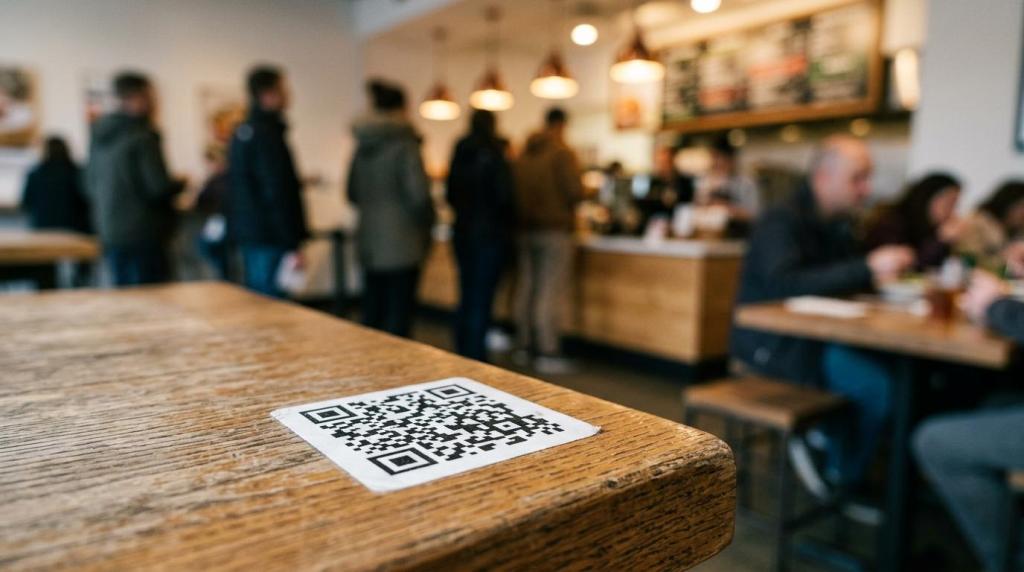
Busy shifts rarely break down because of one dramatic failure. They slow down through a chain of small delays: guests waiting to see a menu, staff repeating item details, lines forming at the counter, phone calls interrupting order taking, and corrections after someone mishears a modifier.
Digital menu ordering changes that chain.
When guests can browse, customize, and submit orders on their own phones, at a kiosk, or through a restaurant’s website, several slow steps disappear at once. The service flow gets cleaner. Staff spend less time on repetitive order entry and more time on food quality, hospitality, and solving exceptions. For restaurants and takeaways, that often feels less like adding technology and more like removing friction.
Research supports the speed case, with a useful note of caution. A recent academic study on QR code menus linked them with stronger operational efficiency, lower waiting times, less staff interaction, and faster menu updates. Yet the same body of research also shows that some guests see QR menus as inconvenient, and that can affect loyalty if the experience feels awkward or forced. Speed matters, but comfort still matters too.
Why digital menu ordering improves service speed
Digital menu ordering speeds up service because it compresses the time between interest and action. A guest no longer waits for a server to drop a menu or for a cashier to become available. The menu is already there, ready to scan, tap, or open. That alone changes the pace of a lunch rush.
It also reduces handoffs. In a traditional flow, the customer decides, tells a staff member, waits while the order is entered, clarifies modifications, confirms totals, and only then sends the ticket to the kitchen. In a digital flow, many of those steps happen inside one guided path. Guests choose sizes, toppings, extras, delivery options, or pickup times directly in the ordering interface.
Another speed gain comes from cleaner information. Digital menus can present only valid options, hide sold-out items, and require choices where mistakes often happen. That cuts down on the back-and-forth that slows both front-of-house and kitchen teams.
After restaurants remove those pauses, the service line often feels better in a few visible ways:
- shorter queues
- fewer order-entry errors
- faster menu updates
- less repeated staff interaction
- clearer pickup and delivery timing
Where digital menu ordering removes friction in the service flow
The real strength of digital menu ordering is not one dramatic time saver. It is the accumulation of small gains across the shift. A few seconds at the menu, a few seconds at checkout, a few seconds saved on corrections, and a few fewer questions about availability can add up to a much smoother operation.
This is especially useful for hybrid food businesses. Many restaurants now handle dine-in, takeaway, delivery, order-ahead, and direct website orders at the same time. A paper menu and a cashier-only process struggle under that kind of traffic. A digital menu can work across all of those channels with the same item structure, pricing, and modifiers.
The table below shows where digital menu ordering tends to save time.
| Service step | Traditional delay | Digital menu ordering effect | Likely result |
|---|---|---|---|
| Menu access | Waiting for printed menu or staff guidance | Instant access via QR, kiosk, or website | Faster order start |
| Item selection | Repeated questions about ingredients or options | Built-in descriptions and modifiers | Less hesitation |
| Order entry | Staff manually enters each item | Guest submits directly | Lower front-counter load |
| Menu updates | Reprinting or verbal explanations | Real-time item and price updates | Fewer corrections |
| Upsells and add-ons | Depends on staff consistency | Standard prompts during checkout | More predictable flow |
| Peak coordination | Long line at one ordering point | Demand spread across channels | Better queue control |
A digital menu can also support service before the guest even arrives. Order-ahead, scheduled pickup, and table reservation tools shift demand out of the most crowded moments. That means speed is no longer limited to how fast a cashier can work.
What research says about digital menu ordering and waiting time
Academic research gives a measured picture, which is helpful for operators making practical decisions. In one University of North Texas study in a quick-service setting, kiosk ordering was faster than cashier ordering by about 10 seconds on average. During non-peak volume, kiosk orders took 48.90 seconds compared with 62.67 seconds for cashier orders. During peak volume, the gap nearly disappeared: 54.53 seconds for kiosks and 54.72 seconds for cashiers.
That result is worth attention because it shows two things at once. First, digital ordering can save time in real service conditions. Second, the biggest gains may appear when the store is busy but not overloaded. Once peak volume hits, the bottleneck may shift away from order entry and into kitchen throughput, pickup coordination, or physical congestion.
A separate study in hospitality technology found a similar pattern: customers spent more time ordering with cashiers than with kiosks during less crowded periods, while cashiers generated more sales during busier periods.
That is a useful reminder.
If a restaurant only asks, “Does digital ordering make orders faster?” the answer can be yes. If it asks, “Does digital ordering fix the whole rush?” the answer is more complicated. Service flow includes ordering, production, staging, payment, handoff, and guest movement through the space. Speed at the menu helps, but it is still one part of the system.
Why digital menu ordering does not remove every peak-hour bottleneck
Peak-hour pressure exposes limits quickly. If the kitchen is already at capacity, shaving a few seconds off order entry will not automatically shorten the final wait. Orders may simply reach the kitchen faster and pile up there instead.
Sales behavior adds another layer. The same UNT study found lower sales per person for kiosks than for cashier ordering, with average sales at 5.56 for kiosks versus 6.26 for cashiers. That does not mean digital ordering hurts revenue by default. It means staff interaction can still matter, especially when suggestive selling is strong, guests want reassurance, or the menu is unfamiliar.
Restaurants get better results when they treat digital menu ordering as one part of an operating model, not a stand-alone fix.
- Match the tool to the traffic pattern: QR menus, kiosks, and website ordering solve different queue problems.
- Watch the kitchen load: Faster order capture can push pressure downstream.
- Protect the guest experience: Some diners still prefer human help, especially with complex menus.
- Track sales behavior: A faster checkout path should not quietly reduce average order value.
A good service design keeps both options open. Let confident guests self-order quickly, while staff focus on hospitality, troubleshooting, and high-value interactions. That mix often creates a better rhythm than forcing every guest into one channel.
How digital menu design affects service speed and customer comfort
Not every digital menu is fast. Some are cluttered, hard to scan, or overloaded with choices. When that happens, a QR code or kiosk simply moves confusion from the counter to the screen.
Speed improves when the menu is structured around decisions guests already expect to make. Categories should be obvious. Modifier groups should be short and clear. Pricing should be visible early, not buried late in checkout. Images should help recognition, not slow the page to a crawl.
The guest’s emotional response matters too. Recent research on QR code menus found a trade-off: they can improve waiting times and operational efficiency, yet some customers perceive them as inconvenient. If a restaurant removes printed menus entirely, offers no assistance, and makes the digital path awkward, service may be faster on paper while the guest leaves less satisfied.
Strong digital menu design usually includes a few disciplined choices:
- Keep decision paths short: Limit taps between opening the menu and placing the order.
- Use plain item names: Guests should not need to decode category labels.
- Make modifiers explicit: Required choices prevent avoidable mistakes.
- Offer a fallback option: A printed menu or staff support helps guests who do not want to scan.
- quick loading pages
- readable allergen and dietary notes
How direct online ordering spreads demand before the rush starts
Digital menu ordering is not only a dine-in tool. It can reshape traffic long before customers reach the counter. When a restaurant puts ordering on its own website or Facebook page, some of the demand moves away from walk-in congestion and into preplanned orders.
That matters because the fastest line is the one that never forms.
The same logic appears in service communication, where We Are VoIP points out that messaging can absorb routine questions before they become disruptive phone calls, reducing interruptions during busy periods.
A branded direct-ordering setup lets customers view the menu, choose fulfillment options, and submit an order without calling the store or waiting in person. For operators, it creates more control over timing, menu presentation, and delivery rules. Platforms that support branded ordering pages, website ordering buttons, custom delivery zones, and order-ahead options can help restaurants spread volume across the day instead of absorbing everything at the same service point.
This approach is especially useful for businesses that already rely on existing hardware and want a quick rollout. If the menu can be updated once and shown consistently across the website, social channels, and dine-in ordering paths, staff spend less time explaining mismatches and more time producing orders.
How to launch digital menu ordering without slowing staff down
Implementation works best when it starts with the current bottleneck, not with the most exciting feature. A restaurant that struggles with phone orders needs a different setup than a dining room that stalls because tables wait too long to place the first round.
Before rollout, it helps to map where guests pause, where staff repeat tasks, and where errors usually start. Once those points are clear, the digital menu can be designed to remove them rather than copy the same old friction onto a screen.
A practical rollout often follows a short sequence:
- Identify the slowest ordering step in the current service flow.
- Choose the ordering channel that best removes that delay, whether QR, kiosk, website, or social ordering.
- Build a menu that favors clarity over excessive choice.
- Train staff to guide guests and handle exceptions with confidence.
- Track both speed and sales after launch, then adjust prompts, layout, and staffing.
The strongest results usually come from steady refinement. Watch order time, waiting time, abandoned orders, average basket size, and staff interruptions. If speed improves but guests seem lost, simplify the menu path. If order volume climbs but pickup becomes crowded, improve staging and ready-time messaging. If digital orders rise through direct channels, shape labor around that new pattern.
Digital menu ordering works best when technology and operations move together. When they do, busy service stops feeling like a constant sprint and starts feeling organized, responsive, and ready for volume.
Pingback: 8 Smart Picks for Restaurant Mobile App Builders Today